
We build single-purpose automations on n8n, Make and the WhatsApp Cloud API that remove the copying, chasing and sorting from a small team’s week, and we leave every judgement call with a person.
AI automation for small businesses is a trigger, a short chain of steps and a clear output. A new enquiry gets qualified and logged, an invoice reaches the ledger, a support message reaches the right person. We build those chains in n8n and add an AI model only where incoming messages are messy. Fixed price from $799.
The 3 queues that slow a small business down
Most small firms do not have an admin problem in the abstract. They have three queues that nobody owns, and each one is a place where a customer waits while somebody copies text from one screen to another.
The first queue is enquiries. A message arrives on WhatsApp at 9pm, on the website form at lunchtime, or in the shared inbox while the person who answers it is serving a customer. It gets answered the next morning, or the next day, and the lead has already rung somebody else.
The second queue is paperwork after the sale. An invoice is raised in Xero or QuickBooks and then entered into a ledger by hand. One typo, one missed invoice, and the month-end reconciliation becomes a week of somebody’s attention. The third queue is support: the same six questions, asked in six different ways, mixed in with the one complaint that genuinely needs a manager.
Workflow 1: Lead qualification from WhatsApp and email
Trigger: a new message arrives through the WhatsApp Cloud API, the website enquiry form, or the shared inbox. The workflow starts within seconds and does not wait for office hours.
- The message is normalised into one record: channel, name, phone or email, and what the sender actually asked for.
- The OpenAI API reads the message against a structured prompt and returns a small JSON object: service line, urgency, budget band, and whether the sender looks like a buyer or a supplier pitch.
- n8n checks that result against your rules. Anything naming a price you do not publish, a rush deadline, or a complaint goes to a person immediately.
- Clean leads are written to Google Sheets or your CRM, with a source tag so you can see which channel pays for itself.
- The customer receives a first reply from your approved template, and a two-line summary lands in the team’s WhatsApp group.
Output: a qualified lead in one place, a reply the customer can read in under a minute, and a human queue only for the messages that deserve one.
Workflow 2: Invoice sync from Xero or QuickBooks to the ledger
Trigger: an invoice is approved in Xero or QuickBooks, or a supplier bill is marked as received.
This is the workflow that pays for itself fastest in a trading business, because it removes double entry rather than adding a step.
- n8n polls the accounting system on a short schedule, or catches the webhook if your plan provides one.
- The invoice header and lines are mapped to your chart of accounts, with a fixed mapping table so a new product code does not break the run.
- A duplicate check compares the invoice number and supplier reference with the ledger table in PostgreSQL before anything is written.
- The ledger entry is posted, the payment terms are recorded, and any mismatch is flagged with the invoice number rather than dropped quietly.
- A daily digest lists what synced, what failed and what needs a person. Failures retry three times, then land in a queue.
Output: one invoice record, one ledger entry, and nobody rekeying the same figures at month end.
We keep the posting step rule-based. An AI model is useful for reading a messy supplier PDF; it is the wrong tool for deciding how much money to move.
Workflow 3: Support triage with a human handoff
Trigger: an email to the support address, or a WhatsApp message from a customer with an open order.
- The workflow looks up the sender in the CRM or the order table by phone number or email.
- A classification step labels the message: delivery, return, billing, product question, complaint, or spam.
- For product questions, a retrieval step answers from your own documents, price list and policies. It answers from those files only, not from the open internet.
- Low-risk answers are drafted and either sent automatically or held for one-click approval.
- Complaints, refunds and anything involving money or a legal notice bypass the model and go to the named person on the rota, with the full thread attached.
Output: a sorted inbox, a faster first reply on routine questions, and a clear rule that complaints never sit waiting in an automated queue.
What do these automations actually save?
The honest answer is that it depends on the queue. The table below is an estimate from comparable builds: small businesses with one or two people on admin, a few hundred messages a week and an accounting system with an API. It is a planning figure, not a measured result.
Table: hours saved, estimates from comparable builds
| Workflow | Typical hours a week before | Estimated hours after | Where the time goes |
|---|---|---|---|
| Lead qualification | 4 to 6 | 1 to 2 | First replies and logging move off the desk. |
| Invoice sync | 3 to 5 | 1 | Double entry and month-end checking become a daily exception list. |
| Support triage | 5 to 8 | 2 to 3 | Sorting and routine answers are handled; complaints keep their human path. |
These figures are estimates from comparable builds and are not a promise of hours saved.
The n8n, WhatsApp and PostgreSQL stack
- n8n
- Make
- OpenAI API
- WhatsApp Cloud API
- Xero
- Google Sheets
- PostgreSQL
- Cloudflare
n8n is the default for anything that handles customer data or runs at volume, because it can be self-hosted and the monthly cost does not climb with every task. Make suits shorter workflows that a non-technical owner wants to edit. We pick one per project and say why in the quote.
PostgreSQL holds the audit log and any data a workflow has to join across systems. Cloudflare sits in front of the webhook endpoints and any self-hosted n8n instance, so retries and spikes do not knock the workflow over. WhatsApp Cloud API is the channel most of our clients’ customers use; email stays for invoices and formal notices.
Data handling under UK GDPR and the ICO rules
Every automation moves personal data, which makes it a data-protection question before it is a technical one. Before we build, we write a data map: which fields each workflow touches, which system they come from, where they are stored, who can read them, and when they are deleted.
- For UK clients, the map and the hosting fit UK GDPR and the ICO’s guidance, with UK or EU hosting where the data or the contract requires it.
- The AI model receives the fields it needs, not the whole customer record. Names and message text are fine where the task needs them; payment details and identity numbers are not.
- We switch off model training on client data wherever the provider offers the setting, and we document that setting in the handover.
- Every workflow keeps an audit log: what ran, when, what it wrote, and which rule sent a message to a person.
- The workflows, logins and documentation live in your accounts, not ours. If we part ways, the automation stays.
We are not lawyers. For health records or financial advice, we build to the stricter instruction and ask you to have your own adviser check the final data map.
What AI automation costs: from $799, fixed before we build
| Scope | From | Timeline | What is included |
|---|---|---|---|
| One workflow, built and tested | $799£629 PKR 115,000 | 2 to 4 weeks | Process mapping, build, testing with your real examples, handover and failure alerts. |
| A set of connected workflows | Quoted after mapping, starting at the same $799£629 | 2 to 4 weeks | The same build, plus a written data map and a runbook per workflow. |
| Running costs | At cost, quoted in writing | Monthly | n8n hosting, AI usage, and any tool subscription you keep in your own name. |
Payment follows the standard Devsio schedule: 40% to start, 30% at build review, 30% at launch. We invoice in USD, and can quote and invoice in GBP or EUR if that suits your books. Hardware, third-party licence fees and paid API usage are excluded from the build price and listed separately before you commit.
We do not sell an open-ended retainer for automation. Ongoing changes are quoted as a small fixed scope, or your team edits the workflows, because they live in your account and are documented. If a workflow stops being worth its running cost, we help you switch it off. See the Devsio pricing page for the other service prices.
When not to automate: 3 honest cases
Some jobs should stay manual, and saying so has saved more client money than any workflow we have built.
A job that happens twice a month. If a task takes ten minutes and happens twice a month, a checklist is cheaper than a build. Automation earns its place on daily repetition.
A process that changes with the person doing it. If three people handle enquiries in three different ways, automate nothing until you agree one way. Otherwise you build a workflow around a process that does not exist.
Anything where a wrong answer costs money. Legal notices, refunds, final figures sent to a customer and tax submissions stay rule-based or go to a person. We would rather build a plainer workflow than one that guesses.
Proof from Star Electric and the portfolio
The automation logic we sell came out of a trading business. When we built the POS and inventory system for Star Electric Enterprises in Saddar, Rawalpindi, the parts that mattered were the quiet ones: purchases posting to supplier ledgers as they happened, counter staff selling without the ability to adjust stock, and one sale writing one record instead of three. Read the Star Electric POS case study for the full build.
The same discipline applies here. The Devsio portfolio covers the wider client list. If no off-the-shelf system fits the way you trade, the custom ERP and inventory service is the better starting point. If enquiries are the issue but the site is slow or badly indexed, start with technical SEO for UK small businesses instead.
6 questions about AI automation, answered
What should a small business automate first?
Start with the task that repeats daily and already follows the same steps: answering new enquiries, chasing invoices, moving form data into the CRM, or sorting support messages. A daily queue gives you a clear before-and-after within a month.
Does this work with the tools we already use?
Usually. n8n and Make connect to Xero, QuickBooks, Google Workspace, Microsoft 365, WhatsApp Cloud API and most CRMs with an API. If a tool has no API, we look at scheduled exports or a simple form instead of pretending the connection is possible.
Is AI automation compliant with UK GDPR?
It can be, and the data map is what makes it defensible. We record what personal data each workflow touches, keep UK or EU hosting where required, send the model only the fields it needs, switch off training on your data where the provider allows it, and keep an audit log for subject access requests.
How much does it cost and how long does it take?
Projects start at $799 (PKR 115,000) with a typical delivery of two to four weeks for a single workflow or a small connected set. Running costs are billed at cost and quoted in writing before you commit. A larger scope is quoted after the mapping call, never guessed on the call.
Who owns the workflows if we stop working together?
You do. Every workflow is built in your own accounts, with your own logins, and handed over with a written runbook and a recorded walkthrough. You keep the code, the hosting and the documentation, which is the same ownership promise we make on every Devsio project.
What happens when a workflow fails?
Failures send an alert to a named person by email or Slack, and most steps retry before the alert fires. During the parallel run we watch the output with your team. If a workflow keeps failing, we fix it or switch it off; a broken automation should never quietly eat enquiries.
Start with one workflow this month
Bring a list of the jobs that repeat. We will map them, say which ones are worth automating, and quote a fixed price before any build starts.
What We Do
What You Receive
Four Steps From First Call to Launch
A written quote before work starts, regular updates in writing, and nothing goes live until you have approved it.
Case Studies:
Projects we have delivered, what we built and what changed for the client.

Alvi Transport: Car Rental Booking Website
A booking website and fleet app that moved Alvi Transport off phone calls and WhatsApp logs, so customers can see which cars are free and reserve online.
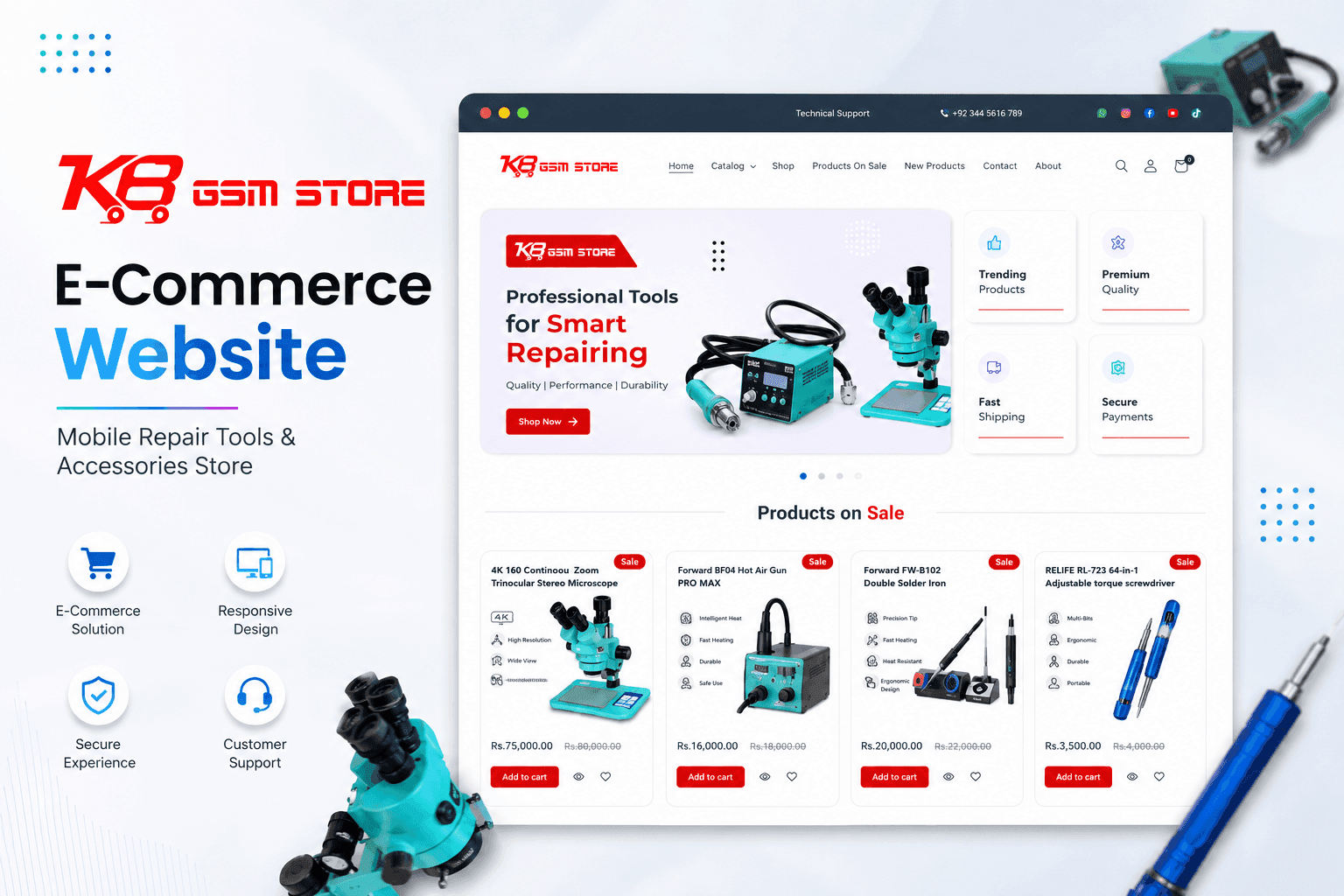
KB GSM: B2B Ecommerce Development for a Phone Parts Wholesaler
A trade store for mobile repair parts and accessories, with quick SKU search and stock levels that update themselves instead of being keyed in by hand.
AI & Workflow Automation for Small Businesses FAQs
Ready to get started with AI & Workflow Automation for Small Businesses?
Book a free call and get a written, fixed-price quote. Every project includes 30 days of support after launch.