
Mobile App Development for Small Businesses
Booking, ordering, loyalty and field-team apps for small businesses, built once in Flutter or React Native and published to both the App Store and Google Play, so you are not paying for two separate apps.
One App for iPhone and Android, Built Around What Customers Do Most
Mobile app development only pays off if people open the thing a lot. A barber in Glasgow whose regulars book every three weeks has a reason for an app. So does a bakery in Antwerp with a morning pre-order rush, or a heating firm in Bath whose engineers log jobs from the van. A shop people pop into twice a year? Probably not. This page covers how we decide, what we build and how the work runs.
On this page
Apps we build for small businesses
Most of the apps we build fall into two groups: ones your customers use, and ones your staff use. Either way it works on iPhone and Android, and there’s a plain admin screen behind it where you change content, check orders or add users.
Customer apps
- Booking apps, for salons, clinics, gyms and PTs
- Order-ahead and click-and-collect for cafés, bakeries and the takeaway on the corner
- Loyalty apps with stamps, points and offers sent by push notification
- Member apps for clubs and studios with class timetables and payments
Staff and field apps
- Job lists and checklists for engineers, cleaners and installers
- Photo capture, notes and customer signatures on site
- Offline mode for basements, rural jobs and patchy 4G
- Automatic sync with your office system once the signal returns
Staff apps are often the better investment. They shave minutes off every job, and you don’t have to beg the public to download anything.
Take a removals firm in Leicester. Paper job sheets go in the bin, and each crew gets the address, the inventory and the access notes on a phone. Scuffed a wardrobe? The photo goes straight back to the office. Signatures replace the clipboard. Nobody has to decode handwriting after each shift.
Apps that sit alongside your website
An app does not replace your website. People still Google you. They read your reviews and check prices in a browser. A good app is something for regulars, while the website stays the front door for everyone else. We make sure both share the same account, bookings and prices, so customers never see two different versions of the truth.
Is an app worth it if you have regular customers?
Often, yes. Apps work best for small firms when the same faces keep coming back, week after week. Think of a gym in Bournemouth or a dog groomer in Harrogate. Or the coffee place by Temple Meads in Bristol. Their regulars would rather tap an icon than faff about in a browser.
For these firms the app is a shortcut. Rebook the same class. Reorder the usual flat white for collection. Check how many stamps are left before the free one. Each action should take seconds, and the design follows from that. We usually start with the one thing regulars repeat most, then build outward.
An app also changes how you talk to your regulars. A push notification about a cancelled class or a quiet Tuesday offer reaches people faster than an email, as long as you use it sparingly.
Flutter app development keeps this affordable, because one codebase covers iPhone and Android. If most of your customers are one-off visitors, though, spend the money on a better website first. An app pays back through repeat use, not a single download.
Checks to make before you pay for an app
An app is a bigger commitment than a website, and people forget that. Apple and Google both have to approve it. Phones change, so it needs updating. And somebody has to push it, or nobody installs it. Run through these checks first.
- Will people use it at least monthly? If not, a fast mobile website will usually serve them better.
- Does it need the phone itself? Push notifications, the camera, location and offline access are good reasons for an app.
- Do you have a way to get installs? Regular customers, a counter, a mailing list or staff you can ask.
- Who will manage it day to day? Someone has to update menus, answer bookings and send offers.
- Can you budget for upkeep? iOS and Android change every year, and apps need small updates to keep working.
The fourth check catches more businesses than the others. An app still showing last month’s menu or last season’s prices is worse than having none. So sort out who’s in charge of it before a line of code gets written.
If most answers are yes, mobile app development is worth planning properly. If most are no, we will point you towards a better website instead, and that conversation is free.
Flutter: one build for iPhone and Android
Most of our apps are Flutter. Now and then React Native suits a job better, so we use that. Either way it’s one codebase for iPhone and Android, and you’re not paying for two apps.
Flutter also keeps upkeep simpler. A fix or a new feature goes into one codebase and ships to both stores. For booking, ordering, loyalty and field apps, users will not notice any difference from a fully native build. We built a mobile learning platform in Flutter for the same reason, and the Flutter app case study covers how that one went.
Flutter is maintained by Google and widely used for business apps, from banks to independent coffee chains. That matters for you because the framework has strong long-term backing, and plenty of developers can pick up the code if you ever need them to.
When native makes more sense
A small number of apps need fully native code: heavy 3D, advanced camera processing or deep hardware links. We will say so early if yours is one of them. For most small business apps, Flutter app development is the faster and more economical route.
What makes a small business app worth opening
Downloads are easy to count and mean very little. What matters is whether people come back. So we design every app around one simple habit: open it, do the task, close it.
- Fast first screen. The main action, such as book again or reorder, sits on the home screen.
- Short sign-up. Apple and Google sign-in, so nobody has to invent another password.
- Saved details. Address, favourite order and payment card remembered, with Apple Pay and Google Pay through Stripe.
- Useful notifications only. A reminder the day before a booking, not three offers a week.
Before any code is written, you tap through a clickable prototype on your own phone. Our branding and UI/UX design team builds these, and changes at this stage take hours rather than days.
The admin side
Every app comes with an admin area on the web. It is where you add products, change opening hours, see bookings and send notifications. It works in any browser, so you can update the app from the shop laptop or your phone without installing anything. Staff logins can be limited, so a junior team member can manage bookings without touching prices or payment settings. If the app needs to talk to a bigger back-office system, our custom software service covers that side.
How mobile app development is priced and planned
Mobile app development is priced by scope: the number of screens, the type of login, payments, offline features and how many other tools the app connects to. You get a fixed price for the first version after a free call, and our pricing page shows typical starting points.
Most of the budget goes on the parts users never see: the database, the admin area, payments and the logic that keeps bookings from clashing. Screens are the quick bit. When comparing app quotes, ask each supplier what sits behind the screens.
Timing depends on scope and on how quickly feedback comes back. A focused first version with a handful of core screens moves quickly. Apps with payments, offline sync or links to your accounting software take longer and are planned in stages.
App Store and Google Play approval
Every app gets checked by both stores before it’s live. Apple’s review tends to be the fussier one, and its App Store Review Guidelines set out what gets rejected. We design with those rules in mind from day one. The store listing, screenshots and privacy bits? We do those for you too.
Rejections happen, even to well-built apps. Common reasons are missing privacy details, a login that reviewers cannot test, or features that only work in one country. When it happens we fix the issue and resubmit, and that is part of the job rather than an extra.
The apps are published under your own developer accounts. If you part ways with us, the app, its reviews and its downloads stay with you.
Why choose Devsio for your app
Devsio is run by Umer Shafique, and the whole team designs and builds in-house from Islamabad. The people who plan your app are the people who write the code and submit it to the stores.
- Honest advice first. We would rather talk you out of an app than build one nobody opens.
- Fixed prices. The first version is quoted in writing before work starts.
- Your accounts, your code. Source code and store listings belong to you.
- Time zone overlap. Our afternoons cover UK and European mornings, with calls booked in your time.
We have seen many small firms spend heavily on an app with twenty features and then struggle to get anyone to use it. Small business apps work better built in smaller steps. Launch the one thing customers or staff do most, see how they use it, then add the next feature.
That approach also spreads the cost. You pay for a working first version, earn from it or save time with it, and only then decide what the next stage is worth. Some apps stop at version one because it already does the job. That is a good outcome, not a failure.
After the app is live
For the first weeks after store approval we fix bugs, watch crash reports and help with any review feedback. After that, an optional support plan keeps the app compatible with new versions of iOS and Android. Most business apps that die after a year or two die because nobody updated them.
We put basic analytics in as well. You’ll see which screens get used, and where people give up and close it. That data decides what to build next far better than guesswork.
Planning an app for your business? Book a free call and tell us what your customers or staff do most often. We will tell you straight whether an app is the right answer, and what a fixed price for a first version looks like.
Mobile app development for the US, UK, Europe and the Middle East
Mobile app development ends in the same two stores worldwide, but store listings, payments and privacy details differ by country.
United States
US users expect Apple Pay and Google Pay at checkout and a clear privacy label on the App Store listing. We write the listing in US English and set the price in dollars if you charge for the app or subscriptions.
United Kingdom and Europe
For UK and EU users we add consent screens where the app tracks anything, a privacy policy link and prices with VAT shown in the store. GDPR rules on personal data apply inside the app as much as on your website.
Middle East and the Gulf
Gulf users are heavy mobile users and many expect an Arabic version. Flutter supports right-to-left layouts, so one codebase can serve English and Arabic, and we can publish the app in the UAE, Saudi and wider Gulf stores.
Our team works from Islamabad, which is 1 hour ahead of Dubai, 4 to 5 hours ahead of London and 9 to 10 hours ahead of New York. Calls are booked in your time zone, and US mornings fall in our evening. Read how our remote projects for international clients run from first call to launch.
What We Do
Customer Apps
Give regular customers a faster way to book, order or collect rewards than your website offers.
- Booking and ordering
- Loyalty and rewards
- Push notifications
- Card and Apple or Google Pay
Field and Staff Apps
Apps for teams on the road or on the shop floor, working even when the signal drops.
- Job lists and checklists
- Photos and signatures
- Offline mode
- Sync with your office system
Publishing and Upkeep
We handle the App Store and Google Play submissions and keep the app working as phones update.
- App Store and Google Play publishing
- Store listing and screenshots
- Crash reporting
- Update and maintenance plans
What You Receive
Four Steps From First Call to Launch
A written quote before work starts, regular updates in writing, and nothing goes live until you have approved it.
App or Website?
A free call to check an app is the right answer. If a good mobile website would do the job, we will tell you.
Design Prototype
You click through a working prototype of the main screens and approve it before any code is written.
Build and Test
We build for iPhone and Android together and share test versions on your own phone as we go.
Publish and Support
We submit to both stores, handle review feedback and support the app after launch.
Case Studies: Mobile Apps
Projects we have delivered, what we built and what changed for the client.
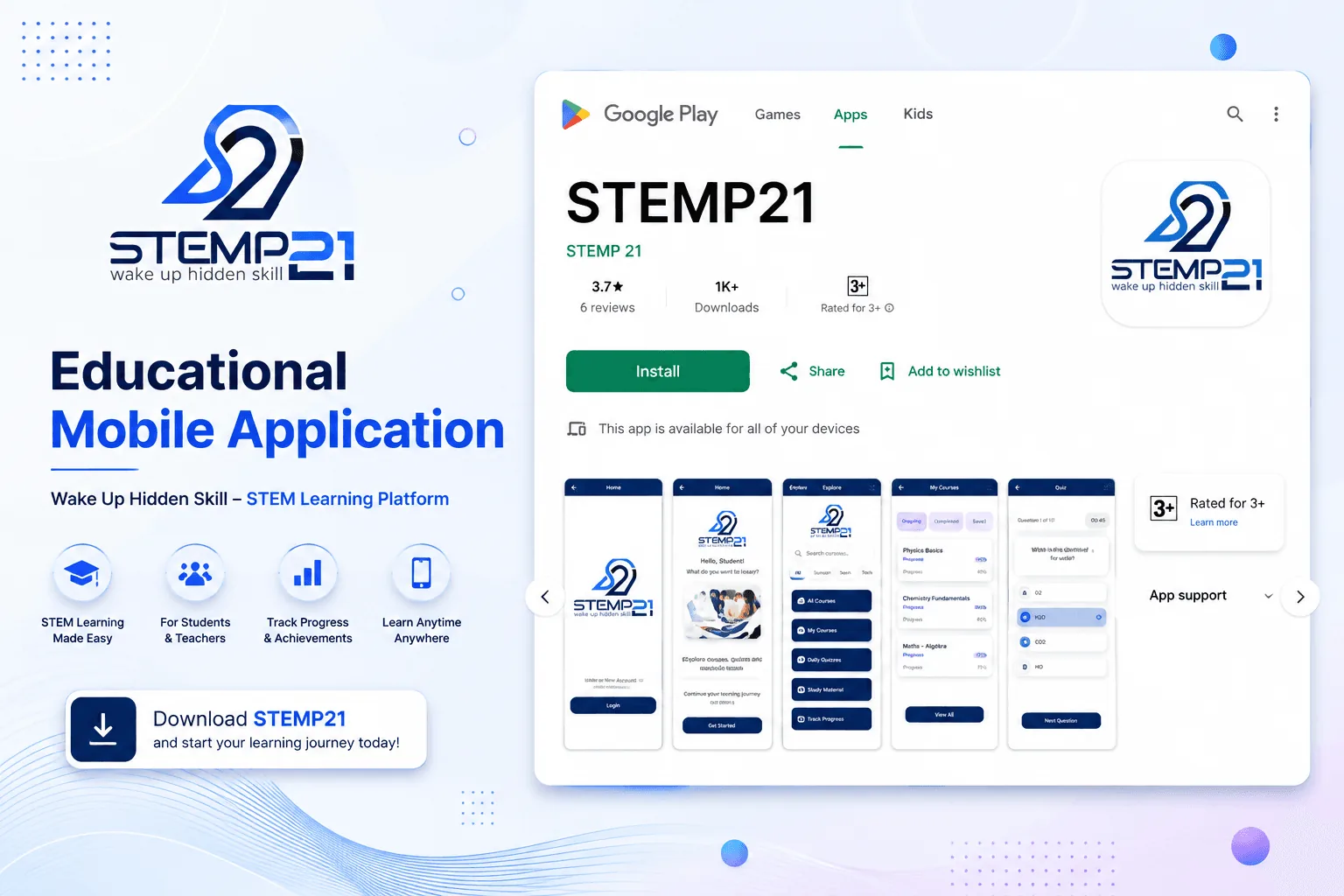
A Flutter app that teaches robotics, science and coding through short videos and quizzes, written once for both iPhone and Android.
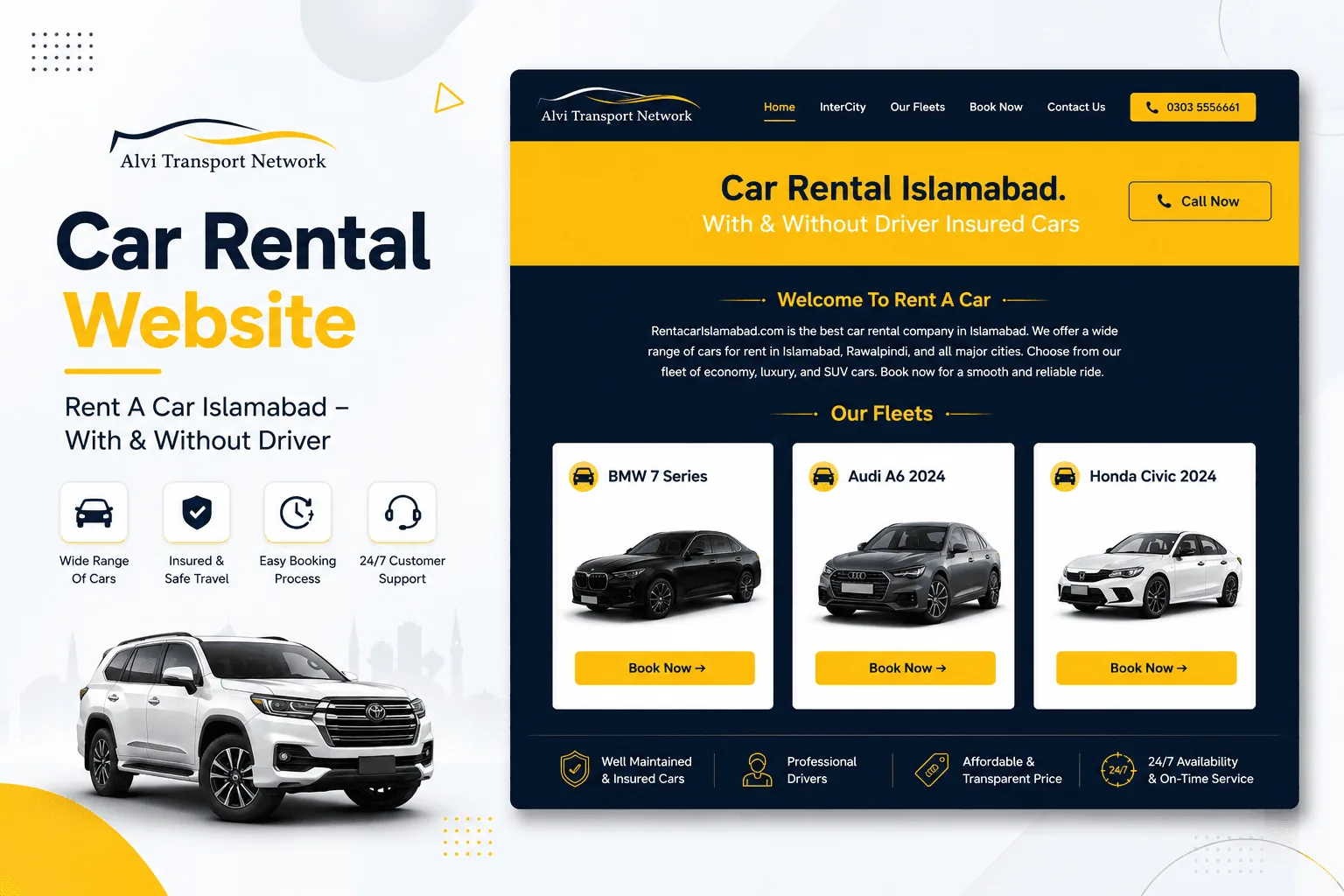
A booking website and fleet app that moved Alvi Transport off phone calls and WhatsApp logs, so customers can see which cars are free and reserve online.
Guides for Small Business Owners
Practical articles on the problems this service solves, written from real client work.
Enterprise MVPs: 5 Critical Architecture Decisions
The five architecture decisions to settle before you build an MVP: database, monolith or microservices, CI/CD, login and GDPR, so year two doesn't start with a rewrite.
Flutter vs Native Mobile: Choosing the Right Stack
Flutter or native iOS and Android? A practical comparison of cost, performance, maintenance and testing, with five questions that settle the choice for most small business apps.
Mobile App Development FAQs
Ready to get started with Mobile App Development?
Book a free call and get a written, fixed-price quote. Every project includes 30 days of support after launch.
