


Most shop owners in Pakistan start looking for POS software on a bad day. The cash didn't match at closing, a customer argued about his udhaar, or a busy evening sent people to the shop next door because the bill took too long. If that sounds familiar, this guide is for you.
We build and run POS software ourselves. Devsio ERP runs every day at an electrical trading shop in Saddar, Rawalpindi. So this isn't a list of logos. It's what actually matters when you choose a POS system for a Pakistani shop, and the questions that save you from paying twice.
What POS software does for a Pakistani shop
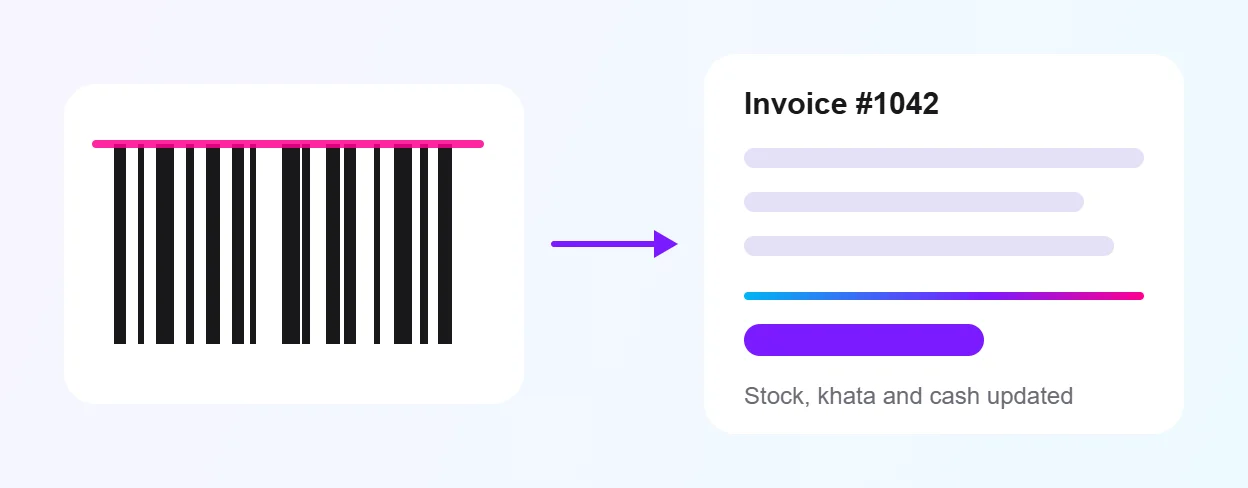
POS stands for point of sale. In simple words, it is the system on your counter that makes the bill. Good POS software does much more than print a receipt, though. Every time you sell something, it should also cut the item from stock, update the customer's khata and add the money to today's cash. One action, four records updated.
The features Pakistani shops actually need
Many POS guides are written for shops in the US or UK, where nobody runs a khata and almost every payment is by card. Shops here work differently. Before you compare prices, check that the software handles the way your business really runs.
- Fast barcode billing: a name search for loose items too, plus keyboard shortcuts so the cashier never reaches for the mouse.
- Khata and udhaar built in: not a separate app. The customer's balance should update with every bill and print on the bill.
- WhatsApp bills: because that is where your customers already are.
- Stock that updates itself: after every sale, purchase and return, with low-stock alerts.
- Godowns and branches: stock transfers and stock audits if you keep stock in more than one place.
- Staff logins: the cashier and the manager should see different things.
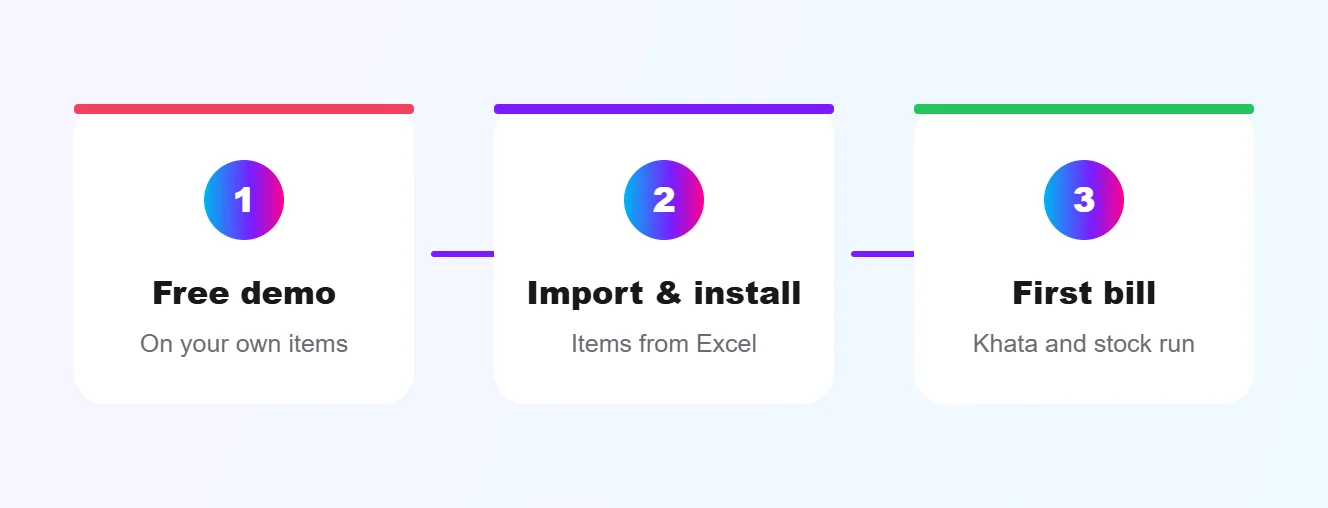
- Excel import: for your item list and supplier price lists, so setup takes hours, not weeks.
- Daily cash closing: sale, cash in hand and recoveries on one screen.
Your printer, the internet and power cuts
Two more things are easy to forget. Ask whether the software works with the barcode scanner, receipt printer and cash drawer you already own, and ask what happens when the internet or power goes. Get a straight answer to both before you buy.
Do you need FBR POS integration?
Some retailers must connect their POS to the FBR so every invoice is reported in real time. Under the Sales Tax Act this applies to Tier-1 retailers. You count as Tier-1 if you meet any one of the tests, for example: you are part of a national or international chain, your shop is in an air-conditioned mall, your shop is 1,000 square feet or bigger, your electricity bill crossed Rs 1.2 million in the last twelve months, or you take card payments through a bank POS machine.
Penalties for Tier-1 retailers who don't integrate are heavy and can go as far as sealing the shop. Most small kiryana and neighbourhood shops are not Tier-1, but check your own position with your tax adviser, because the rules change. If you are Tier-1, ask every POS vendor, including us, exactly how their software handles FBR integration before you sign.
Cloud POS or installed POS?
Cloud POS runs in a browser and keeps your data online, so you can check sales from your phone and run more than one branch. Installed software runs on the shop computer. Neither is right for everyone. What matters is that your data is backed up, that you can see the business when you are away from the counter, and that billing doesn't stop when something goes wrong.
Questions to ask before you pay anyone
Ask every vendor these five questions and get the answers in writing. A vendor who won't put the terms on paper before you pay is telling you something.
- What exactly is included in the price? Licence, installation, training, updates and support should all be named.
- What happens after the update period ends? Does the software keep working, and what does renewal cost?
- Can I see it running on my own products? A demo with your item list tells you more than any brochure.
- Who answers when there is a problem? A call centre, or the people who built it?
- Can I take my data out? You should be able to export items, customers and sales to Excel at any time.
How switching usually goes
Changing from a register to software sounds like a big job. In practice it comes down to three steps, and most of the effort goes into getting your item list right.
Where Devsio ERP fits
We built Devsio ERP (formerly Devsio POS) for exactly these shops: kiryana and super marts, wholesale and distribution, electrical and hardware, pharmacies and clothing. It covers POS, inventory, khata and accounts in one system, sends bills on WhatsApp, and has an AI assistant you can ask for today's sale or a customer's balance by voice. You can even update hundreds of prices from a photo of a supplier's price list.
Pricing is shared on request, and the licence, update and support terms are given in writing before you pay. If udhaar is your biggest headache, read digital khata vs register next. For the bigger picture, see our guide to ERP software for small business in Pakistan.
Frequently asked questions
What is the best POS software in Pakistan? The best one is the one that fits how your shop works. For most Pakistani shops that means fast barcode billing, khata on every bill, WhatsApp bills and stock that updates itself. Shortlist two or three and ask each for a demo on your own products.
Is POS software worth it for a small kiryana store? If you give udhaar, keep more than a few hundred items or struggle to match cash at closing, yes. The time saved at the counter and the udhaar you stop losing usually matter more than the software cost.
Can I move my stock from Excel into POS software? With good software, yes. Devsio ERP imports items and supplier price lists from Excel or CSV. Our guide on moving from Excel to POS software walks through it.
See Devsio ERP on your own products
Free demo on WhatsApp, terms in writing before you pay, and support from the team that built it. Explore Devsio ERP or book a free demo on WhatsApp.
