
Custom POS Software for Retail and Wholesale Businesses
Built by a team that has run a trading business, our POS systems handle multi-counter billing, barcode scanning, live stock levels and automatic ledgers, so your counter stays fast and your stock figures stay honest.
Billing and Stock Control That Keeps Up With a Busy Counter
Custom POS software earns its keep at the counter, not in a sales demo. When a wholesaler sells the same cable by the metre to one customer and by the drum to another, or a shop has three tills and two branches, generic systems start to creak. Staff invent workarounds, and by the end of the month the stock figures and the cash drawer disagree.
On this page
When custom POS software beats a boxed system
For a small café or a gift shop with one till, a subscription system like Square or Lightspeed is often the right choice. We will say so if that is you.
Custom POS software makes sense when the way you trade does not match the way the software thinks. The signs are usually obvious to the people on the counter:
- You sell at wholesale and retail prices, sometimes to the same customer on the same day.
- Items are sold in more than one unit, such as boxes, packs, metres or kilos.
- Regular customers buy on credit and settle weekly or monthly.
- Stock moves between branches or a warehouse, and nobody trusts the transfer figures.
- You pay per till, per user and per add-on, and the monthly bill keeps growing.
Our founder ran the counter, stock room and books of an electrical trading business for years before building software. The POS we built for that business still runs there today, so we know what a Saturday rush does to a badly designed screen.
Typical businesses it suits
- A hardware and electrical supplier in Birmingham with trade accounts and walk-in customers
- A car parts wholesaler in Lahore selling to workshops on monthly credit
- A family grocery chain with three branches and a central store room
- A building materials yard in Cork that sells by weight, length and pallet
Each of these needs custom POS software for a different reason. What they share is a counter that is busy all day and an owner who wants honest numbers.
5 counter problems custom POS software fixes
These are the complaints we hear most often from shop owners and managers. Each one has a clear fix when the software is built around your business.
- Slow checkout. Too many taps per sale. We design the billing screen around your busiest products, with barcode scanning and keyboard shortcuts for staff who serve all day.
- Stock that does not match the shelf. Sales, returns, purchases and transfers all update stock in one place, with a reason recorded for every adjustment.
- Credit sales in a notebook. Customer ledgers, credit limits and statements live in the system, not in a drawer.
- Tills that stop when the internet does. Offline billing keeps every counter selling and syncs when the connection returns.
- End-of-day arguments. A daily cash report per counter and per cashier that matches the drawer, with card and credit sales shown separately.
Retail billing software that keeps the queue moving
A counter screen should be learnable in an hour. Good retail billing software shows the cashier only what they need for the sale in front of them: the item, the price, the quantity and the total.
Discounts, returns and exchanges follow rules you set, so a new starter cannot give away margin by accident. Managers can override with their own login, and every override is logged.
Offline mode
Internet drops happen in every high street and every market. Our retail billing software stores each sale locally first, prints the receipt and syncs to the main database when the line comes back. Customers do not wait while someone restarts the router.
Hardware at the counter
- Barcode scanners, including handheld and fixed units
- Thermal receipt printers in 58mm and 80mm widths
- Label printers for shelf edges and barcodes
- Cash drawers, customer displays and card terminals
We set up and test each device at each counter before go-live, and the custom POS software prints receipts laid out the way you want, with your logo, returns policy and tax details. If you already own hardware that works, we build around it rather than asking you to buy new.
Inventory management software you can trust
A POS is only as good as its stock figures. The inventory management software side of the system tracks what comes in, what goes out and what sits there too long.
Multi-branch stock
Each branch sees its own stock and can check what other branches hold before telling a customer no. Transfers are sent from one site and received at the other, so stock is never counted in two places at once.
The owner or head office sees every branch on one screen: sales so far today, stock value per site and which branch is running low on a fast seller. Branch managers see only their own figures unless you decide otherwise. Prices can be set centrally or per branch, which helps when rent and local competition differ from one town to the next.
Dead stock and reorders
Slow-moving and dead stock reports show what is tying up your cash. Reorder reports use your real sales history, so you order what sells and stop reordering what does not. For many trading businesses, this is where the inventory management software pays for itself.
Stock counts
Full stock takes and quick cycle counts can be done with a handheld scanner or a phone. Differences are shown before anything is adjusted, so a miscount does not wipe out real stock.
Purchases and suppliers
Purchase orders, goods received notes and supplier balances sit alongside sales, so your buyer and your accountant work from the same figures.
FBR POS integration for retailers in Pakistan
This section applies to our clients in Pakistan. Retailers who fall under the Tier-1 rules must connect their POS to the FBR system. Each sale is reported as it happens, and the printed receipt carries an FBR invoice number and QR code.
We build FBR integration into our custom POS software as standard for Pakistani clients. The details that usually break, such as failed connections during a sale, reprints, returns and invoices that need retrying, are handled in the software so the counter keeps moving.
What to check before you start
- Your registration details and POS ID from FBR
- Which branches and counters need to be connected
- How returns and credit notes should be reported
- Who in your team will check the daily reconciliation
The rules and registration steps are published on the Federal Board of Revenue website, and they change from time to time. We keep our integration up to date, but your accountant should confirm your own obligations.
Accounts, tax and your accountant
Nobody wants to type the same sale twice, and good retail billing software should never make you. Sales, purchases and payments from your custom POS software can post to your accounting system, or export in a format your accountant already uses.
- Xero and QuickBooks for clients in the UK and Europe
- Tally and Busy for clients in Pakistan
- CSV and Excel exports for anything else
Reports owners use
The reports that matter are few: daily sales, margin by product and category, stock value, credit owed to you and money you owe suppliers. Our custom POS software puts those on one screen, with the detail a click away.
For UK shops, VAT is recorded on every sale so your figures for Making Tax Digital come straight from real transactions. Tax rules for each product are set once by a manager, not guessed by a cashier.
Planning your custom POS software project
A good custom POS software project is mostly about listening before building. Every project starts with a counter walkthrough, in person or on a video call. We watch a normal day, note the workarounds and list the reports your managers ask for.
What you own
The code and the data are yours. If you part ways with us, you keep the system and can hand it to another developer. That is not true of most subscription systems, where leaving means exporting a spreadsheet and starting again.
There is also no fee per till or per user. Adding a counter for the Christmas rush, or a new branch next year, is a setup job rather than a bigger monthly bill.
Moving from your current system
Products, prices, barcodes, opening stock and customer balances are imported from your old system or spreadsheets. We run a trial import first, check a sample with your team and only then load the real data.
Where possible the new custom POS software runs alongside the old one for a few days, so you can compare totals before you switch off the old tills.
Training and go-live
We train cashiers at the counter and managers on the reports, remotely or on site in Pakistan. After go-live we stay close for the first weeks of trading, because that is when the small questions come up.
Security, backups and staff access in custom POS software
A till system holds your sales, your stock value and your customers’ credit balances, so losing it would hurt. Our custom POS software backs up the main database every night to a separate location, and we test a restore before go-live.
Every member of staff gets their own login. Cashiers can sell and take returns up to a limit you set, while managers can change prices, approve write-offs and see margin reports.
With custom POS software built this way, you can see who sold what, who gave a discount and who opened the drawer without a sale. That is not about distrust. It settles end-of-day questions in a minute rather than an argument.
If a counter PC fails, a spare machine can be set up and signed in quickly, and offline sales already stored on other tills are not lost. We write this recovery routine down so your manager can follow it on a busy Saturday.
Updates to the custom POS software are tested on a copy of your data first and installed after closing time, never in the middle of trading. That way a new report or a tax change never stops the queue at the counter.
Timing and price
Projects are fixed price after the walkthrough, with the screens, reports and hardware listed in writing. See our pricing page for typical starting points.
If you also need a customer portal, a delivery app or a system that goes beyond the counter, our custom software for small businesses service covers that.
If your counter is slow or your stock figures are a guess, book a counter walkthrough and we will show you what custom POS software would change for your shop.
What We Do
Fast Checkout and Billing
A counter screen your staff can learn in an hour, with barcode scanning and receipts that do not hold up the queue.
- Barcode scanning
- Thermal receipt printing
- Discounts and returns
- Cash, card and credit sales
Inventory and Stock Control
Know what is in stock, what is not selling and what to reorder, across every branch.
- Live stock levels
- Dead stock and slow-mover reports
- Purchase orders and suppliers
- Multi-branch transfers
Wholesale and Accounts
Credit customers, ledgers and daily cash reports that match how trading businesses really work.
- Customer credit ledgers
- Supplier balances
- Daily cash and sales reports
- Export to Tally, QuickBooks or Busy
What You Receive
Four Steps From First Call to Launch
A written quote before work starts, regular updates in writing, and nothing goes live until you have approved it.
Counter Walkthrough
We watch how your counters, stock room and accounts work today, including the workarounds.
Fixed-Price Proposal
A written scope with the screens, reports and hardware you need, and the price.
Build and Import
We build the system, import your products and stock, and set up scanners and printers.
Go Live at the Counter
We train staff on the shop floor and stay on hand through the first weeks of trading.
Case Studies: POS and Retail Software
Projects we have delivered, what we built and what changed for the client.

Car Rental & Fleet Booking Web App | Devsio
High-performance vehicle rental platform with interactive fleet catalog, real-time availability filters, and automated reservation pipelines.
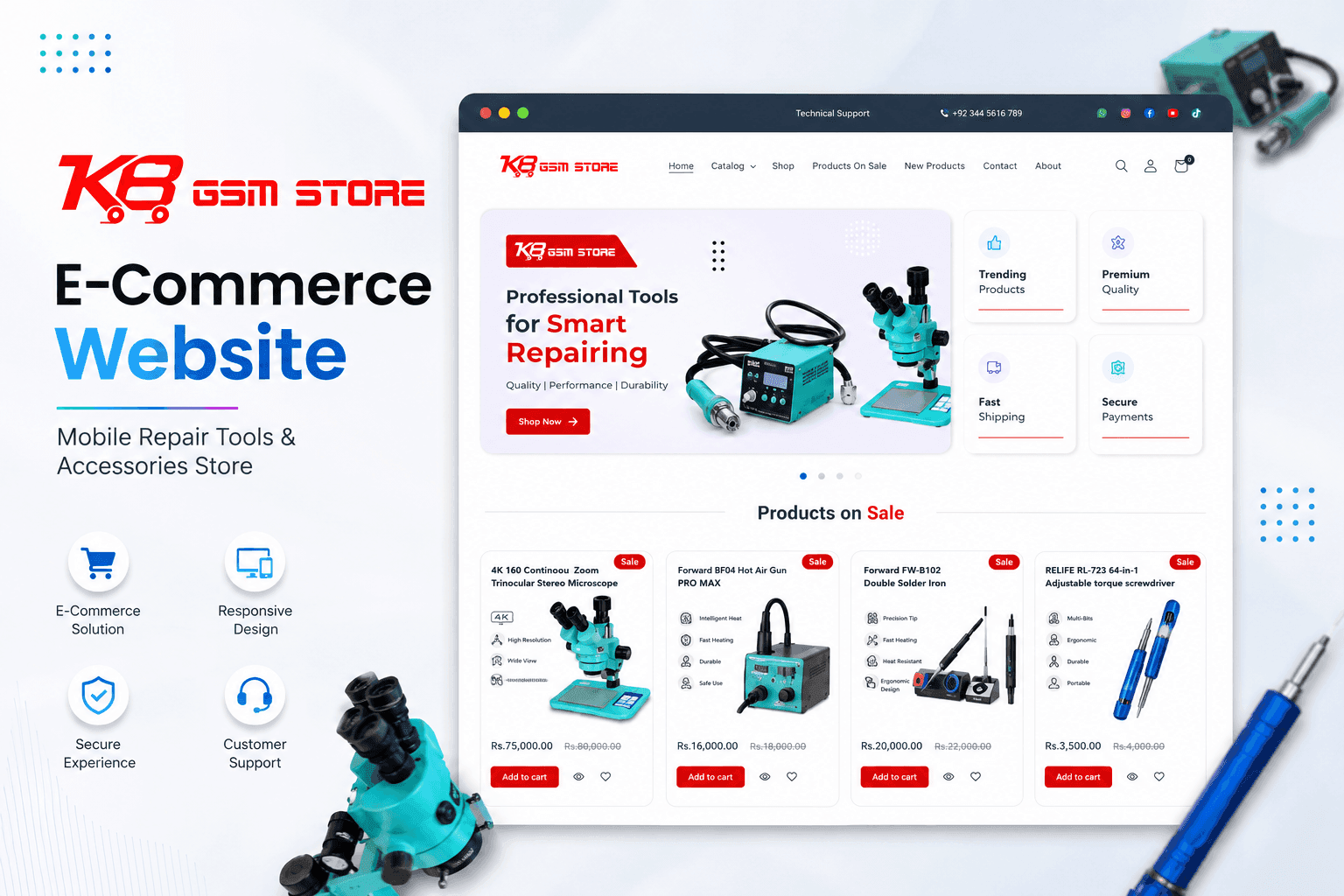
B2B E-Commerce & Inventory Sync | Devsio
Multi-category e-commerce storefront for mobile repair hardware and accessories with real-time SKU search and automated inventory sync.
Guides for Small Business Owners
Practical articles on the problems this service solves, written from real client work.
Why Your Business Doesn’t Show in Google’s Local Pack, and What Actually Moves It
The three map results at the top of a local search take most of the clicks. Here is what the ranking data says decides who appears there, and the order to work through it.
Traffic But No Enquiries? Five Things We Check on UK Small Business Websites
Your analytics show visitors. Your inbox is empty. Here are the five things we check first on UK small business websites, and what the data says about fixing them.
POS and Retail Billing Software FAQs
Ready to get started with POS and Retail Billing Software?
Book a free call and get a written, fixed-price quote. Every project includes 30 days of support after launch.
